

You added products to your profile and they've sat in Pending for weeks, or they went live, got attached to a "Shopify local feed" you've never used, and then disappeared. Google Business Profile products pending for that long is rarely a problem with the products themselves. It's usually Google's review queue or a feed connection you didn't make, and the fix that has worked for owners is to take control of the feed through Merchant Center.
Below is how I tell which of those you're dealing with, the steps that got products back for owners who posted about it, and what to do when Google's two support teams tell you opposite things.
Why Google Business Profile products get stuck in pending
There are three different problems that look the same from the dashboard.
Google's review queue has stalled. In July 2026, someone managing several client profiles posted in a Local Search Forum thread about every product stuck in Pending across multiple client profiles. Every product on every one of those profiles was stuck, and those profiles had no Merchant Center account connected at all. When it's happening across unrelated profiles at once, nothing you did caused it.
Your products got attached to a feed you don't own. Owners on Local Search Forum describe products that were suddenly linked to a Shopify local feed by a shop that doesn't use Shopify, and then vanished from the profile. A second forum thread on products tied to a Shopify partner feed describes the same thing. Once products are tied to a feed, the profile stops treating them as yours to edit.
The products are live but not showing. In a Help Community thread about products missing from the knowledge panel, the products had been added, and shoppers still couldn't see them on the profile. That's a display problem, not an approval problem, and it needs different checks.
How to get stuck products live again, step by step
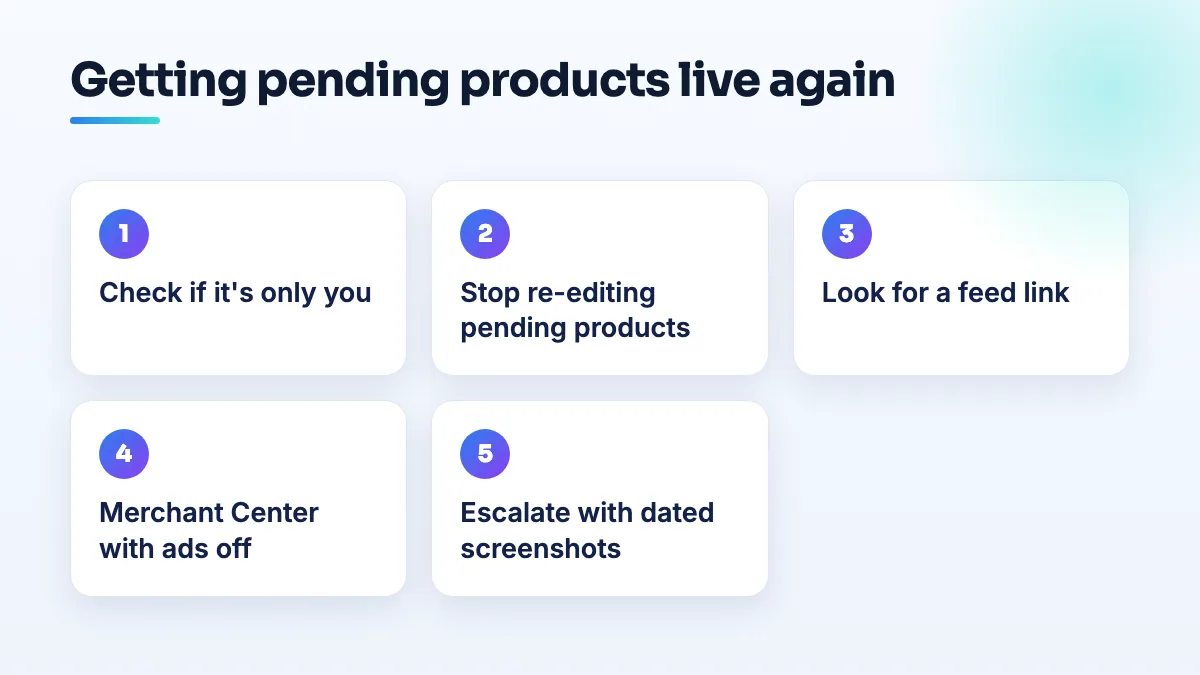
- Find out whether it's only you. If you manage more than one profile, check the others. If products are Pending everywhere, including profiles with no feed, it's Google's queue, and the right move is to wait and document, not to rebuild.
- Stop re-editing the pending products. In my experience, editing or re-adding a product that's already in review doesn't speed anything up, and deleting and re-adding the whole range just puts every item back at the end of the line. Leave them for at least two weeks.
- Check each product for anything a reviewer could reject. Your own photo of the actual product, no text or logos pasted over the image, a real price, a plain description and a link that goes to a working page. Remove anything you're not allowed to sell through Google in your country.
- Look for a feed link on the profile. If the products section says your products come from a partner or a Shopify local feed, or the products you added by hand have disappeared and been replaced, a feed has taken over. Hand edits won't stick until you deal with it.
- Create a Merchant Center account with the profile's owner account. This is the fix that worked for owners in the Shopify feed threads: set up Merchant Center, link it to the Business Profile, and toggle off "show in ads" so the products are used for free listings only. Your products then come from a source you control rather than a partner feed you never set up.
- Manage products in Merchant Center from then on. Add or fix them there, keep prices matching your shop, and check product status for anything disapproved. Once the link works, the profile shows what Merchant Center sends.
- Escalate with evidence if nothing changes. Screenshot the Pending status with the date, the feed link if there is one, and the products list. Post them in the Business Profile Help Community, and if you contact support, ask for the answer in writing.
When Business Profile and Merchant Center support disagree
The owners in the Shopify feed threads got conflicting guidance: Business Profile support and Merchant Center support each pointed at the other. That's normal, because the product sits between the two systems and each team only sees its own half.
My advice is to ask each team one precise question, "Which system is the source of the products on this profile?", and get the answer in writing. If the answer is a feed, it's a Merchant Center job. If there's no feed and products are just Pending, it's a Business Profile job. Having the other team's written answer in front of you usually ends the loop.
If products are approved but not showing on the profile
If the status says your products are live and customers still can't see them, check what a stranger sees before you change anything. Search your shop's name on a phone in a private window, signed out, and open the profile's products section. Owners often look at their own dashboard view, which isn't always what the public gets.
- Check the profile itself isn't limited. A profile under review, suspended or waiting on a verification step can hide sections, products included.
- Check the product categories. Products that sit in no category, or in one Google generated, can be buried below the first few cards.
- Give new products a few days before you decide they're missing.
If they're still absent after that, it's the same escalation as step 7: dated screenshots of the live status next to the public view, posted in the Help Community.
If Google added products you never listed
Sometimes it isn't missing products but wrong ones. In a Help Community thread from an optician whose profile showed books and movies, Google had auto-generated product categories that had nothing to do with the business, clothing among them. You can't delete what Google generates the way you delete your own products. What I'd do is add your real products and categories so Google has better information to work from, then send feedback on the wrong ones from the profile and post in the Help Community with screenshots if they stay.
What's different for boutiques and other shops
Boutiques are hit hardest by a stuck queue because their stock moves. A dress that sat in Pending for three weeks may have sold before it went live. If you're a clothing store, I'd put the lines you always carry on the profile and use photo updates for the new arrivals, rather than adding every new piece as a product.
If you genuinely do sell on Shopify, a Shopify feed on your profile might be legitimate, set up by the Google sales channel in your store. Check the store's apps and channels before you rip anything out. The problem in the forum threads was a feed the owner had never connected.
General retail shops with a stable range and many products are the ones I'd move to Merchant Center anyway, because a hand-built product list on the profile becomes a job nobody keeps up with. If you're unsure which way to go, I cover that choice in Google Business Profile products vs Merchant Center.
What not to do
- Don't delete and re-add the whole range every few days. You reset the review every time.
- Don't create a second profile to get products showing. You'll split your reviews and create a duplicate problem that's harder than the one you have.
- Don't turn "show in ads" on in Merchant Center unless you actually mean to run Shopping ads and have a budget set up for it.
- Don't link a Merchant Center account from someone else's Google account, like a freelancer's. Use the profile's owner account so you keep control.
Next step
Products on the profile help most when the rest of the profile is right. That's the work we do in local retail SEO, SEO for boutiques and GBP management, and if your products live on your own site too, product page SEO is what gets them found outside the map pack.
Written by Saifur Rifat, Founder & SEO Lead at SERP Squad.