

Most contractors, fabricators and sign shops have a gallery page: forty photos in a grid, no captions, no words. It looks busy and does almost nothing, because a buyer can't tell what they're looking at and Google can't either. Project gallery pages work when each finished job gets its own page that explains the problem, the work and the result, with photos that prove it.
This matters most for businesses whose buyers never visit. A purchasing manager sourcing a fabricated part, a property manager choosing a sign company and a homeowner planning a kitchen all judge you on your past work before they call. Here's how I structure those pages so they persuade the buyer and get found in search.
Why a photo grid doesn't win jobs
A grid of thumbnails answers one question: "Do they have photos?" It doesn't answer the ones buyers actually have. Was this job like mine? How big was it? What went wrong and how did they handle it? Where was it?
Fabricators feel this the most. A welding and fabrication owner in a Reddit thread from a fab shop asking how to market itself was told digital should be under 10% of the marketing effort, and was left with no real plan for the part buyers see online. Machine shop owners on Practical Machinist make a related point: a shop with no website loses credibility even when the site itself wins little work directly. For a shop whose buyers never walk in, the project pages are the sales rep that works when nobody's answering the phone.
Sign shops say the same thing in their own words. In a Signs101 thread on the marketing that works for sign shops, owners keep coming back to being found on Google's first page and showing real installed work. A photo of a sign on a screen proves you can design. A photo of it lit on the building proves you can deliver.
Search engines need words and structure too. Google's guidance on helpful content asks whether a page shows first-hand experience, the kind that comes from actually doing the work. A project page written by the people who did the job is about as first-hand as content gets. A captionless grid shows none of it.
What goes on a project page
Every project page follows the same pattern. The facts change; the structure doesn't.
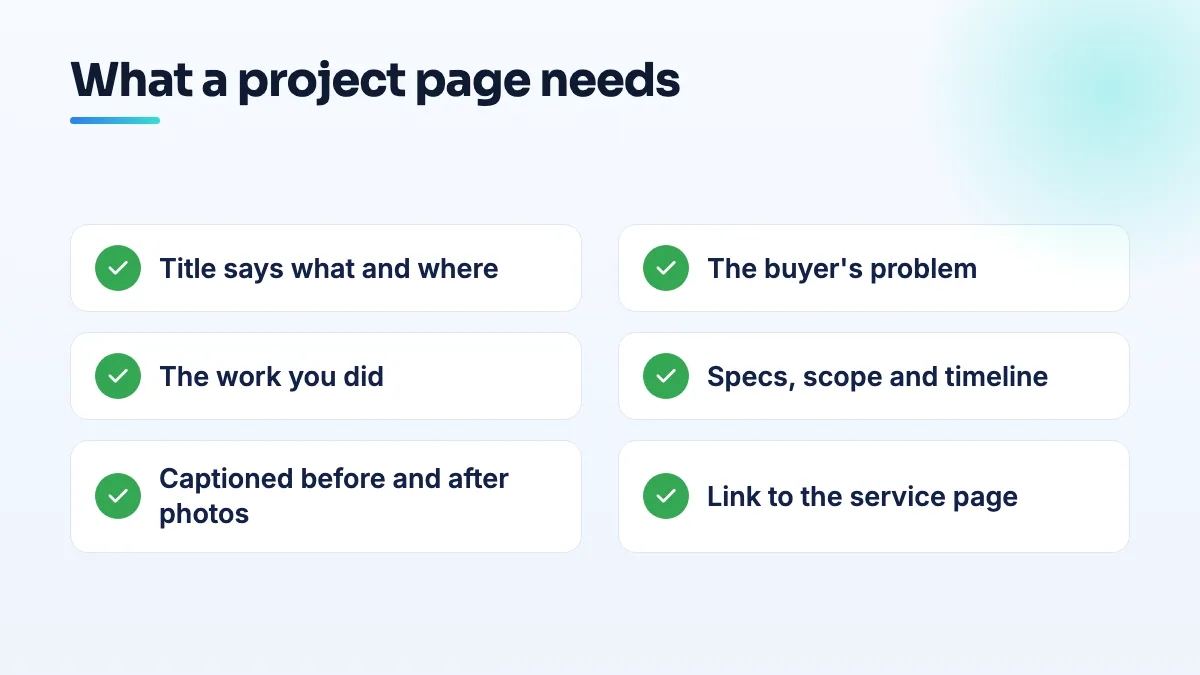
- A title that says what and where. "Kitchen remodel with a moved load-bearing wall, Etobicoke" or "Stainless conveyor guards, 40-piece run, food processing plant". Not "Project 17".
- The buyer's problem in two or three sentences. What they came to you with, in their words if you have them.
- What you did. The work, the materials, the steps that were hard, and anything you'd flag to the next buyer with the same problem.
- The specs. Size, quantity, materials, finish, timeline, and the permit or inspection if there was one. Buyers compare on these.
- Photos in order, each with a caption. Before, during and after. The caption says what the photo shows ("New LVL beam in place before drywall"), not "IMG_4471".
- A link to the matching service page and a clear way to ask about a similar job.
How to turn finished jobs into project gallery pages
- Photograph every job at three stages, even the boring ones. Before you start, halfway, and finished. Take the finished shot from where the buyer will stand: across the street for a sign, from the doorway for a kitchen, on a clean bench with a scale reference for a part. Shoot in daylight and wipe the lens first.
- Write five facts down the day the job finishes. The problem, the main work, one detail that was hard, the specs and the timeline. It takes five minutes while it's fresh and an hour if you try to remember it three months later.
- Get written permission before you name a client or show their property. Many will say yes. When they don't, describe them ("a 120-bed care home in Oakville") and keep addresses, faces and anything confidential out of shot. For manufacturers under NDA, photograph the process or a similar part rather than the customer's design.
- Publish one page per project, not one gallery for everything. Use the title pattern above, put the specs near the top and add captions to every photo. Give each image a short file name and alt text describing what's in it.
- Link each project page to the service page it proves. The kitchen goes under kitchen remodeling, the conveyor guards under sheet metal fabrication, the monument sign under commercial signage. Then link from the service page back down to its best three projects.
- Put the same photos on your Google Business Profile. Upload the finished shots with the project's location in mind, and post a short update when a notable job is done. It keeps the profile active with proof that isn't stock.
- Add a new project every month. Consistency beats a big upload once a year. Twelve well-documented jobs will do more than a hundred unlabeled photos.
If writing the pages is what stops you, that's normal. Most owners are better at the job than at describing it. It's exactly the kind of work our SEO content writing team does from your notes and photos.
What's different for each kind of business
Sign shops
Your buyers want to see the sign where it lives. Shoot every installed sign in daylight, and lit signs again at dusk. Include one wide shot showing the building and street so a property manager can picture their own site. Put the permit and installation details in the specs, because commercial buyers care whether you handled them. Group projects by buyer type (apartments, retail plazas, healthcare) so a property manager finds jobs like theirs; I explain why in the sign shop SEO work I do.
Manufacturers and fabricators
Your buyer never visits and may never meet you. The project page has to answer what a purchasing manager or engineer asks: material, thickness or tolerance, finish, quantity, lead time and any certification the job ran under. Photograph parts on a neutral background with a ruler or known object for scale, and show the machine or process if the part itself is confidential. Tie each project to a capability, which is how fabrication services pages get their proof. For shops that serve the whole country, projects from other states show reach in a way a service area never can. It's central to any manufacturing SEO plan I build.
Home renovation
Homeowners buy renovation slowly. They search for weeks, compare a handful of companies on Google and call two or three. Before-and-after pairs taken from the same spot do most of the selling, so mark your "before" camera position and repeat it at the end. Name the neighborhood and the room, list what changed (layout, plumbing moved, wall removed) and say how long it took. In our Toronto renovation case study, galleries built around the finished result were part of the website work, alongside the profile work and fresh project photos. Business Profile views rose 356.5% in the first year.
Construction and general contractors
Many contractors were sold one page per town with the same text and a new city name. Joy Hawkins started a Local Search Forum discussion on service-area pages and the August 2026 spam update, where contractors reported location pages falling out of Google's index. The results there are mixed and anecdotal, but a real project page in a town you worked in is the honest version of a city page: it proves you were there. Include the building type, square footage, the phase you handled and the schedule, because commercial owners and developers use past projects to prequalify you.
What not to do
- Don't use stock photos or manufacturer images as your work. Buyers spot them, and it undermines every real photo on the page.
- Don't post a job without words. A gallery of images with no text gives search engines almost nothing to understand.
- Don't copy one project write-up across several pages. Each job is different. If the text isn't, the pages add nothing.
- Don't show confidential parts, client names or home addresses without permission. One unhappy client costs more than a missing photo.
- Don't claim work subcontractors did as your own. Say what your crew handled.
Where to start
Pick your three best jobs from the last year, find the photos, write the five facts for each and publish them as separate pages this month. If your site makes that hard, a page template for projects is one of the first things I'd set up in a website design project.
Written by Saifur Rifat, Founder & SEO Lead at SERP Squad.