

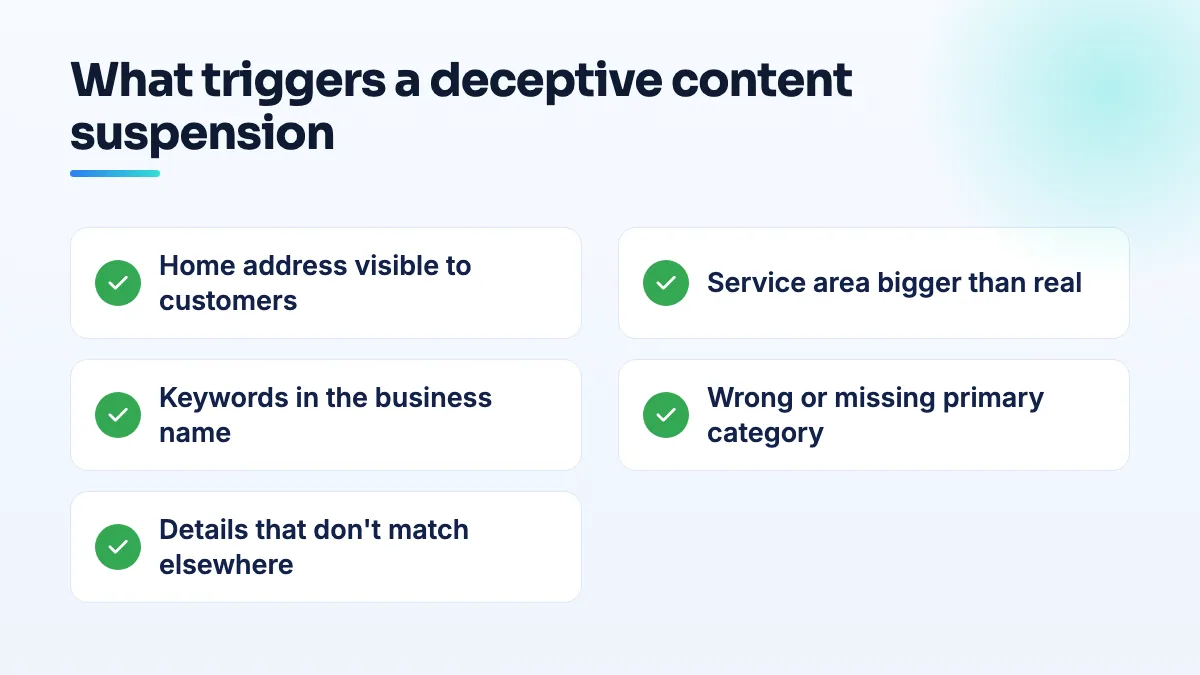
Your profile was suspended for "deceptive content", the email doesn't say what was deceptive, and the appeal you sent came back rejected. A Google Business Profile deceptive content suspension almost always traces back to one of five settings: a visible home address, a service area far bigger than you serve, a keyword-stuffed name, a wrong or missing category, or business details that don't match what the rest of the internet says.
Find which one it is before you appeal. Appealing first, with evidence aimed at the wrong problem, is how owners end up stuck for months.
I went through the Google Business Profile Help Community threads from plumbers, roofers, flooring companies, HVAC firms, landscapers, cleaners, photographers and shops, and the same five settings came up again and again. Below is how to check each one, the order to fix them in, and what to do if the appeal still fails.
What a Google Business Profile deceptive content suspension actually means
"Deceptive content" doesn't mean Google thinks you lied on purpose. It's the label Google puts on a profile that doesn't look like a real, eligible business described the way it actually operates. Google almost never says which part of the profile triggered it.
That silence is the pattern in nearly every thread. A lawn care company in Florida exhausted its appeals and was never told what was deceptive, as the owner explained in a Help Community thread from a lawn firm suspended without explanation. A plumbing company in a thread from a plumber whose re-appeal was blocked had its appeal rejected and had been blocked from appealing again since June 2025. A flooring contractor licensed since 1993 lost the listing and every review on it, according to a thread from a licensed flooring firm suspended for deceptive content.
New profiles aren't safe either. On the Local Search Forum, a thread about brand-new HVAC profiles suspended on day one describes a profile suspended for deceptive content the moment setup finished, with a regular noting these were "happening a lot lately". If you're still working out why it happened at all, my overview of why a Google Business Profile gets suspended covers the other causes.
The five settings behind most deceptive content suspensions
A tow company owner summed up three of them in one sentence in a Help Community thread from a suspended tow operator: "I had set my Service Area to the entire country, my physical address wasn't hidden (as a Service-Area Business), and my category was missing." Add a keyword-stuffed name and mismatched details, and you have the list.
1. A home address that customers can see
If customers don't come to you, your address must be hidden. A visible home address on a service-area business is the most common trigger in the threads I read. A home-based cleaner in Ottawa, offline for over a month, was convinced a burst of reviews had caused it. The reply in a thread from a cleaner blaming review velocity was blunt: "the usual cause is address or service-area eligibility, not reviews". The same advice went to a home-based wedding photographer in a thread from a photographer flagged for misleading content: hide the home address and set realistic service areas. I explain how to hide your home address on Google Business Profile without hurting your visibility more than you need to.
2. A service area bigger than you really serve
A whole state, a whole country, or a county you'd never drive across for one job. To Google, a one-van business claiming a huge area looks like a lead generator. Product Experts have told mobile businesses to keep the area within roughly a two-hour drive of their base. List the towns or ZIP codes you actually work in.
3. Keywords in the business name or description
"Plumbing 24/7 Emergency Near Me" isn't a business name. Your profile name should match your registered name and your signage, and nothing else. Descriptions count too: a maid service with 92 five-star reviews lost its profile, and its Local Services Ads with it, over a keyword-stuffed description. Even a small change to how the name is formatted has triggered this suspension on its own, which is why I'd never edit a name casually.
4. A wrong or missing primary category
A missing category was one of the tow operator's three. A category that doesn't match what you do, or that a competitor could argue with, invites a closer look. Changing the primary category on an established profile is one of the riskiest edits there is, so fix it once, carefully, and read about the safe way to edit your Google Business Profile first.
5. Details that don't match anywhere else
Google compares your profile with your website, your business registration, your license record and the directories that list you. When they disagree, the profile looks invented. In one electrician's case a Product Expert found the corporate filing pointed to a UPS Store mailbox and the license lookup returned a hair salon's address. Another electrician's website implied he held the license himself when he didn't, and that alone got the profile suspended. Get your name, address and phone identical everywhere; NAP consistency is dull work, but it's evidence Google checks.
How to check your profile before you appeal
- Screenshot the profile as it stands. Every field: name, address setting, service area, categories, description, phone, website. Date the screenshots.
- Go through the five settings one by one and write down every problem. Be honest. It's common to find two problems, not one.
- Fix the outside world first. Make your website, business registration, license record and main directories show the same name, address and phone. If the license says one address and the profile another, that's the first thing to fix.
- Then fix the profile, if it lets you edit. Hide the address, cut the service area to real towns, strip keywords from the name and description, set the correct category. Make these changes in one sitting, not dribbled over a week.
- Collect evidence aimed at the cause you found. For an address problem: registration and a utility bill at the hidden address, and photos of your vehicle and equipment. For a name problem: registration, signage, invoices. My guide to Google Business Profile appeal evidence has a list for each cause.
- Appeal once, with that evidence. Say briefly what you changed. Don't argue that you're legitimate in general; show the specific thing that's now correct.
If you fixed everything and the appeal still fails
The Florida lawn firm had done most of it: set the address to no location, cut the service area from a whole county to three towns and corrected the primary category. Its appeals were still exhausted. Fixing things after a suspension doesn't guarantee reinstatement, which is the strongest argument for checking these settings before anything goes wrong.
- Post in the Help Community with specifics. Business type, whether you serve at customers' locations, exactly what you changed and when, and every case ID. A Product Expert can spot a problem you missed or escalate a case that's clearly compliant.
- Look for an account-level problem. If you can't make edits at all, or appeals are rejected within minutes, the restriction may be on the Google account, not the profile. That has to be cleared first.
- Keep your review record. Screenshot your reviews now. Suspended profiles can come back without them, as the flooring contractor found.
What's different by trade
- Plumbers and HVAC companies are tempted to put "24/7" and service names into the listing name, and brand-new HVAC profiles have been suspended on day one. Build a new profile slowly with your plain registered name. I set this up first in plumbing SEO projects.
- Cleaners are the most likely to run from a home or an apartment, so the address setting is almost always the cause. Hide it before anything else. It's step one in cleaning business SEO.
- Landscapers and lawn care tend to set county-wide areas because their customers are spread out. Name the towns you really mow in. The service area is the first thing I trim in lawn care SEO.
- Roofers and flooring contractors are often licensed and still suspended. Check the address on the license record against the profile before you appeal; a mismatch there undoes the license as evidence.
- Photographers work at venues and edit at home. That makes you a service-area business with a hidden address, not a studio, unless clients really visit.
- Shops and boutiques have a real storefront, so the address is rarely the issue. Look harder at name formatting, categories and whether the Google account itself is restricted.
What not to do
- Don't appeal before you've found the cause. Evidence aimed at the wrong problem wastes the appeal.
- Don't create a new profile. It inherits none of your reviews and, if it's built the same way, gets suspended for the same reason.
- Don't blame your reviews by default. The cleaner in Ottawa lost weeks that way.
- Don't add more detail to "prove" you're real. Extra keywords, extra categories and a bigger service area make it worse.
Where to start
Go through the five settings today, before you write a word of the appeal. If you'd rather have someone check the profile, the website and the directories together, that's the first thing we do in Google Business Profile management.
Written by Saifur Rifat, Founder & SEO Lead at SERP Squad.