

Your appeal was denied, maybe within minutes, even though you sent real documents proving you're a real business. The usual reason is that the Google Business Profile appeal evidence answered a different question from the one Google asked. An appeal gets approved when the evidence answers the specific violation in the notice, so the first job is reading that notice properly, and the second is fixing the cause before you upload a single file.
This catches careful, legitimate businesses, often law firms, medical practices, labs and pharmacies, because they have plenty of paperwork and send all of it. Below is how I match evidence to the stated reason, what to prepare before the form opens, and what's left when the appeal button greys out.
Why a well-documented appeal still gets denied
The clearest example I've found is a Help Community thread from a Glendale law firm whose evidence answered the wrong finding. The firm had 274 genuine reviews and ten years at one staffed office. It added its marketing agency as a manager on 14 September 2026 and was suspended two days later. The stated reason was that a Google Account associated with the profile had been placed under restriction.
The firm appealed with a tax return, a utility bill and a Secretary of State filing, all proving its address. It was denied the same day, and the appeal option then greyed out. Nothing in that evidence dealt with the restricted account, which was the agency's. The address was never the problem.
A cleaning company owner made the same mistake from the other direction, blaming a burst of reviews for his suspension. A responder in a Help Community thread from a cleaner suspended for more than 30 days told him that "the usual cause is address or service-area eligibility, not reviews" and that his evidence was aimed at the wrong thing.
Match your Google Business Profile appeal evidence to the violation
Google's wording is short and often vague, but it does tell you which category you're in. This is the table I work from.
| What the notice says | What it's really about | Evidence that answers it |
|---|---|---|
| An associated Google Account is restricted | An owner or manager account, often an agency's | No business documents help. Find the account, remove it or get its restriction resolved, then appeal the profile. |
| Misrepresentation or deceptive content after a name edit | The profile name doesn't match your registration or license | Registration and license in the exact profile name, a photo of permanent signage with that name, a business card |
| Deceptive content on a practitioner listing | The practitioner's name doesn't match official records | State license and national registry record in the same name format as the profile |
| Address or eligibility problems | Google doubts you serve customers at that address | Lease, utility bill in the business name, photos of exterior signage, reception and working area |
| Suspension after a move | The new address doesn't match your paperwork | Updated registration and license at the new address, filed before you appeal |
Two other causes are worth checking because the evidence can't fix them. An electrician's listing was suspended for deceptive content because his website implied he held a license himself; the fix was the website wording, not a document. And a professional firm was rejected over a mismatch between its legal name and its trading name. If your website or registration says something different from your profile, change that first.
How to prepare the appeal
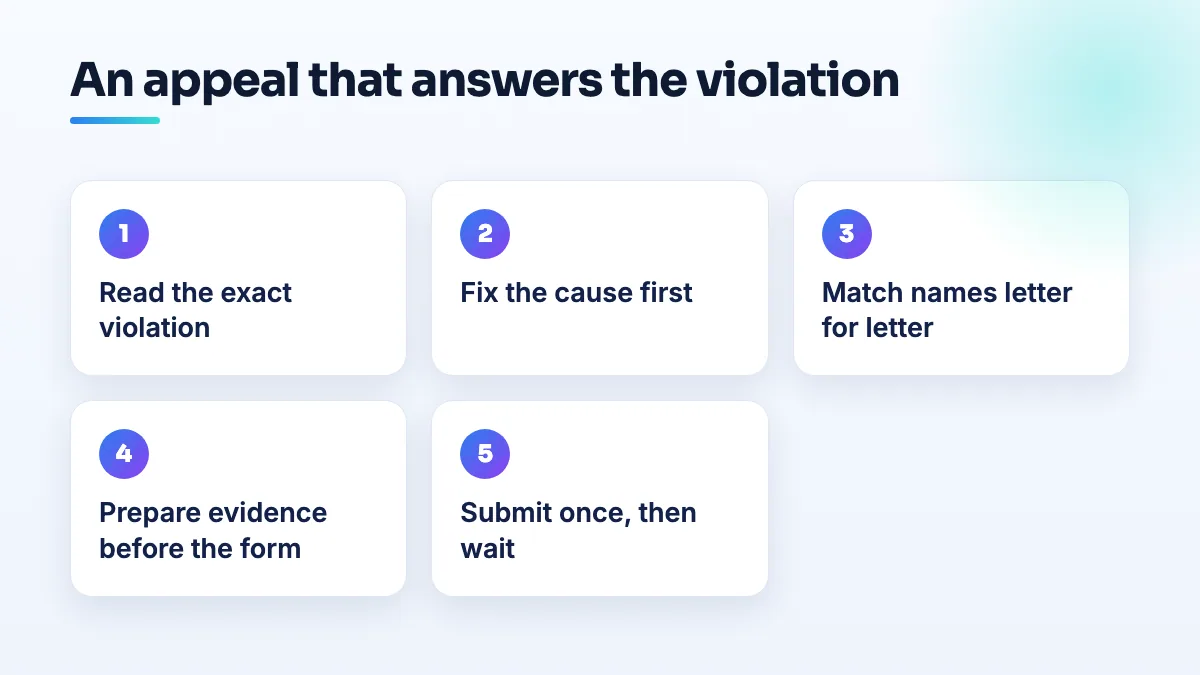
- Screenshot the exact notice and write down the reason in one sentence. "Associated account restricted" and "misrepresentation" are different problems. If you can't say which one you have, don't start the appeal yet.
- Fix the cause before appealing. Remove the restricted manager, correct the name to match your license, update the registration after a move, or change the website claim. An appeal for an unfixed problem just gets denied, and you may not get another.
- Check every name and address matches letter for letter. The profile, the registration, the license, the utility bill and the sign should all show the same business name and the same address. Suite numbers and abbreviations count.
- Build the evidence folder before you open the form. A medical group whose agency account was restricted found there was a 60-minute deadline to submit evidence once the form opened. Have every file named, sized and ready: registration, license, lease or utility bill, and photos of signage, reception and working areas taken that week.
- Keep any written explanation short and specific. Where the form lets you explain, say what the notice said, what you changed and when, and what each file proves. No history of the business, no frustration.
- Submit once and wait. A pharmacy owner quoted appeal turnaround as 2 to 30 business days. Don't file again while it's under review.
What's different for law firms, doctors, labs and pharmacies
Law firms
The biggest risk is the one in the Glendale case: an agency or vendor with access to the profile. Before you add anyone as a manager, ask whether their Google account has ever been restricted, and remove access for anyone you no longer work with. In law firm SEO work, I review the user list before I touch anything else. If your firm has attorney listings, each attorney's name should match their bar record.
Doctors and medical practices
For practitioner listings, the name is the evidence. A Help Community thread about practitioner names and suspension appeals shows the conflict: a rep asked for the practice name in front of the doctor's name, while appeals need the name to match the NPI registry, the state license and sites like Healthgrades. Use the license format. For groups, one restricted account can take down dozens of listings at once, which is why I check access first in medical practice SEO.
Lab and testing sites
Collection sites and mobile testing services usually hit the address question. A Help Community thread listing the evidence set for a pharmacy or collection site gives a good checklist: exterior signage, a business card, lease or license, the reception area, the back-of-house working area, payment methods and equipment. A mobile collector with no premises needs the service-area setup instead, with the address hidden, and evidence of the vehicle and equipment.
Pharmacies
The same pharmacy thread started with a name-format edit on a fully licensed pharmacy that triggered a deceptive content suspension. If you change how your name appears, make sure the new format matches your pharmacy license and your signage before you save it, not after. For independent pharmacy SEO, I treat the name field as locked unless the license changes.
When the appeal is denied and the button greys out
- Don't create a new profile. It starts with no reviews, and a duplicate of a suspended profile is its own violation.
- Check whether you fixed the right thing. Go back to the table. If the notice was about an account, and you sent address proof, that's why it failed.
- Post in the Help Community. Give the exact notice wording, the date, your case ID, what you changed and what you submitted. Product Experts can't overturn a decision, but they can tell you what you missed and escalate a case where the evidence clearly answers the reason.
- Contact Business Profile support with the case ID. Ask whether a further review is possible now that the cause is fixed. Keep every reply.
What not to do
- Don't send everything you have. A pile of documents that don't answer the reason is still a denial.
- Don't open the form to see what it asks. If there's a time limit, you've started it.
- Don't edit the profile during the appeal. A name or address change mid-review creates a new mismatch.
- Don't let an agency appeal for you without showing you the notice first. You need to know which reason was given.
Where to go from here
If you're not sure why the profile went down in the first place, start with the common reasons to get a suspended profile back. If your notice mentions misleading information, see deceptive content Google Business Profile suspensions, and if it mentions an associated account, read agency Google account restricted, profile suspended. We prepare and file appeals as part of our Google Business Profile management.
Written by Saifur Rifat, Founder & SEO Lead at SERP Squad.