


Key points
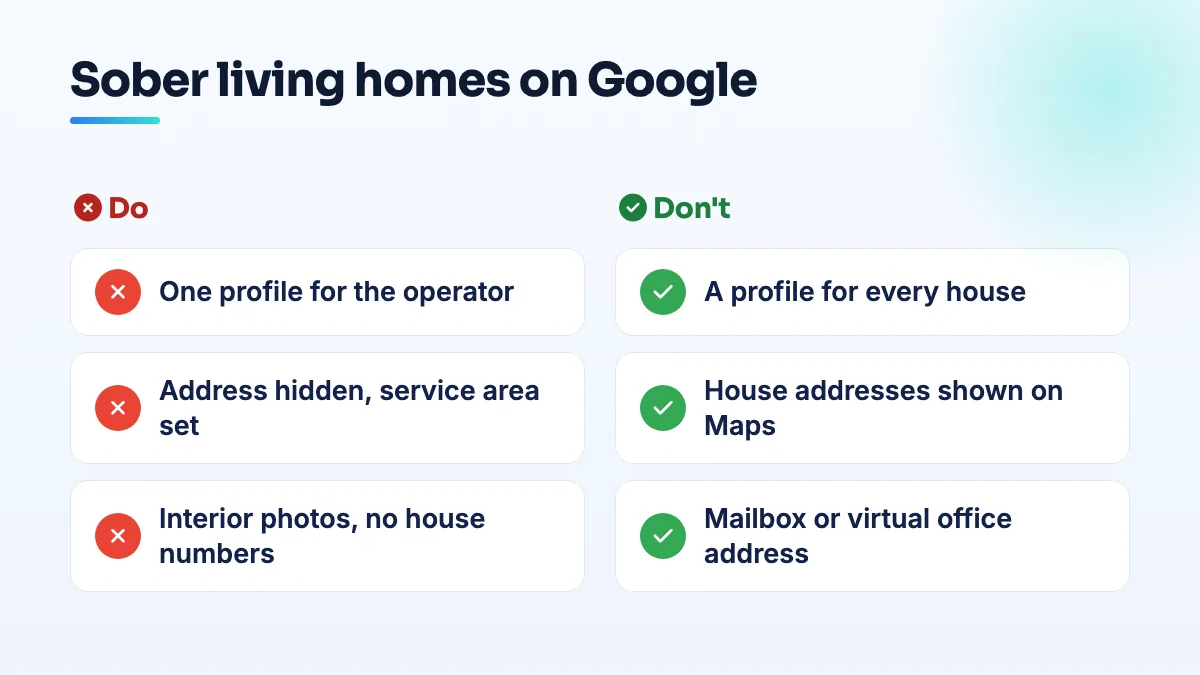
- One profile for the operator, not per house
- Hide the address and add a service area
- Keep house numbers out of every photo
- A public admissions office can be listed openly
- Never use a mailbox or virtual office
Yes, with one profile for the operator, the address hidden, and a service area covering where your homes are. A sober living Google Business Profile address shouldn't appear on Maps, because residents' safety depends on nobody being able to find the house from a search, and that's the setup a well-known local search expert recommends for exactly this case.
The mistake I see operators consider is the opposite: one profile per house, each pinned on the map, so every home ranks in its own neighborhood. Here's why that fails, what to do instead, and where the setup has limits.
What the expert advice says
An operator whose home addresses had to stay confidential asked this exact question in a Local Search Forum thread on listing locations whose addresses must stay confidential. Phil Rozek's advice was clear: don't try to create four profiles. Run one, with the address hidden and a service area.
I agree, for three reasons. Four profiles means four verifications, and each one puts an address in front of Google that you'd have to keep hidden anyway. A hidden-address profile per house gives you four listings that all look the same, which reads as duplication. And if any one of them shows its address by mistake, even briefly, you've published a resident's home.
How to set up a sober living Google Business Profile address privately
- Decide which address the profile is based at. If you have an office where admissions staff meet families, that's the base I'd use. If you don't, use the address you manage the homes from. Google needs a real address to verify, even though the public won't see it.
- Create one profile under your real business name. The name families and referral partners know, as it appears on your registration and signage. No "sober living near me" or city names added.
- Hide the address before the profile goes live. Turn off showing the address and add service areas instead. I always check the public profile afterward, signed out, to confirm no street address appears anywhere. The guide on how a service-area business hides its address covers what the setting does and doesn't change.
- Set the service area to where your homes and referrals actually are. The towns or counties you operate in, not the whole state.
- Keep house details off the profile, the website and your photos. Photograph interiors, shared spaces and gardens, never a front door with a number, a street sign or a recognizable view. Remove location data from photos before you upload them.
- Plan for verification. If Google asks for a video, it's checking the hidden base address and that you run the business. Film the street and building at that base, and show that you control it, such as unlocking the door. The video goes to Google, not the public. My shot list for businesses with nothing to film is in the guide to what to film for a Google verification video.
Where this setup has limits
Google's eligibility rules describe two kinds of business: one with a location customers visit, and one that serves customers where they are. Sober living doesn't fit either neatly, because residents live at the homes but the public shouldn't visit them. That's why I'd be conservative with this profile. Describe what you do accurately, keep one listing, and don't dress it up.
A few situations change the answer:
- You have a public admissions office. List the office with its address shown, if families really come there during stated hours. Keep the homes off Google entirely.
- Your homes are run by different companies. Each real business can have its own profile. Houses run by one operator are one business.
- A house already appears on Maps. Someone may have added it as a place. Use Google's suggest-an-edit option to report that it shouldn't be listed, and don't claim it.
- You also run licensed treatment. A clinical program with its own staffed location is a separate business listing from the sober living side.
What to avoid
- Don't create a profile per house. It's more exposure, more verification risk and a duplication problem.
- Don't put house addresses on your website "for families". I'd share them privately, and only once someone is accepted.
- Don't list at a mailbox or virtual office to avoid the issue. They aren't eligible, and it's the setup spam listings in this industry use.
In my experience a hidden-address profile won't win every nearby search on its own. The rest comes from a clear website, referral relationships and reviews that don't expose anyone, which is the work in our recovery center SEO. If you'd like the profile built and verified for you, that's Google Business Profile management.
People also ask
Is buying addiction treatment leads legal under EKRA?
It can be, but how you pay decides it. EKRA makes paying for referrals to addiction treatment a federal crime, it covers private insurance, and in 2025 the Ninth Circuit confirmed it reaches marketing intermediaries. Paying per admission or per patient is where the risk sits, with penalties up to $200,000 and 10 years per occurrence. Have a healthcare lawyer review any lead deal. This is not legal advice.
Read the full answer: Is buying addiction treatment leads legal under EKRA? →
Why do LegitScript-certified rehab ads get zero impressions?
Certification lets addiction ads run, but it doesn't make them win. Zero impressions usually means the certification isn't applied to the account and domain your ads use, a campaign targets a country where certified ads can't serve, your bids are far below the rehab market, or specific keywords aren't allowed to trigger. Check those four in that order, then take screenshots to Google Ads support.
Read the full answer: Why do LegitScript-certified rehab ads get zero impressions? →
Why did Google Ads restrict my therapy site for mentioning addiction?
Because your website offers addiction treatment, even as one service among many. Google's healthcare policy treats addiction services as restricted, and in the US and Canada that category needs LegitScript certification. The review reads your site, not only the ad, so one specialties line or blog post can restrict the account. You either remove the offer of addiction treatment from the site and appeal, or you get certified.
Read the full answer: Why did Google Ads restrict my therapy site for mentioning addiction? →
Can an agency's restricted Google account get my profile suspended?
Yes. If an agency, freelancer or vendor with access to your listing has its Google account restricted, Google can suspend every profile connected to that account, and yours goes with it. The notice says a Google account associated with the profile was restricted. Proving your address won't fix it: remove the account, have the agency resolve its restriction, and appeal on that point.
Read the full answer: Can an agency's restricted Google account get my profile suspended? →
Can you appeal a Google review decision more than once?
No. You get one appeal on each review Google decides not to remove, and once the appeal is denied, that decision is final for that review. Wait for the first decision before appealing, and only appeal with new evidence tied to a specific policy clause. After that, your options are a calm public reply, reporting new reviews from the same accounts, and outnumbering the review with genuine ones.
Read the full answer: Can you appeal a Google review decision more than once? →