

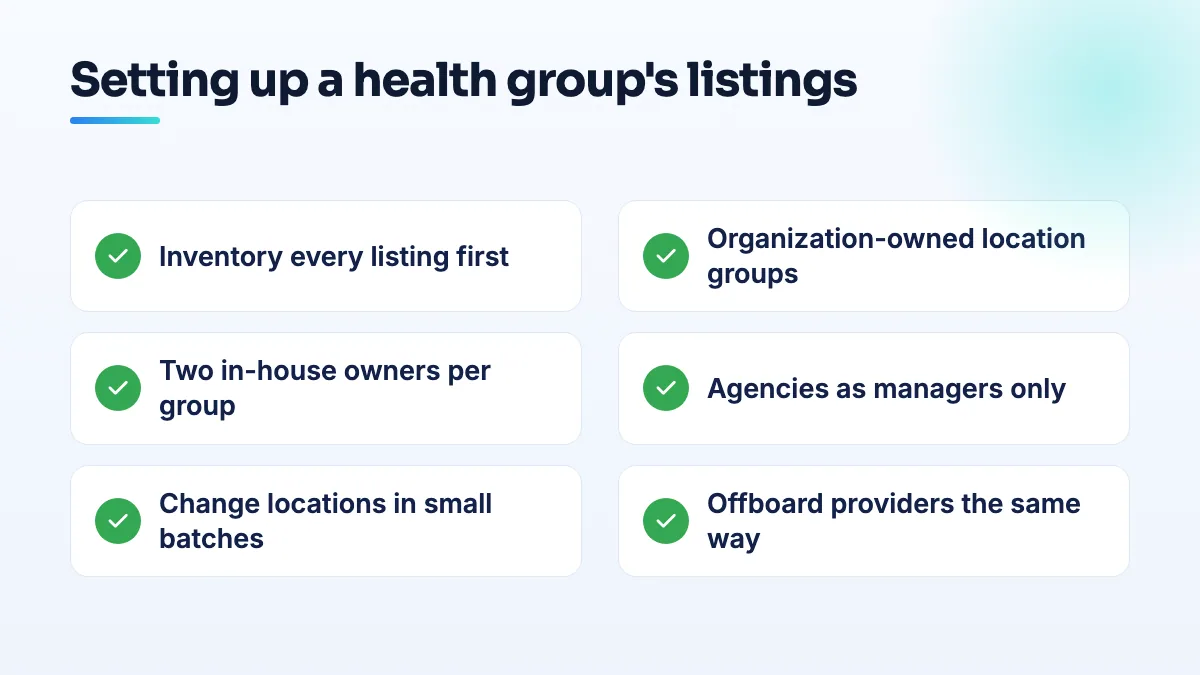
When a hospital system, clinic chain or veterinary group runs dozens of Google listings, one bad account or one bulk mistake can take all of them offline at once. The fix for a multi-location healthcare Google Business Profile setup is structural: every listing owned by the organization in location groups, at least two in-house owners, agencies as managers only, and changes rolled out in small batches.
I went through the Google Business Profile Help Community threads where health groups lost listings in bulk. The causes are rarely clinical and rarely about the listings themselves. They're about who owns what, and how many locations get touched at the same time.
How health groups lose dozens of listings at once
Two cases show the scale of it.
A urology group lost 38 listings in one go. The account of a marketing agency it had fired was restricted, and because that account held the listings, all 38 were suspended with it. In a Help Community thread about 38 listings suspended by one restricted account, the advice was that the profile appeals couldn't move until the account restriction was lifted, and that once the account appeal form opens you get 60 minutes to upload evidence.
A veterinary group with 43 clinics ran into a mass "duplicate" problem and then a "no more ways to verify" loop, described in a thread from a 43-clinic veterinary group blocked by a duplicate bug. Once a group of listings is stuck like that, there is no button that fixes them together.
Neither group did anything wrong in the clinical sense. In both, the damage came from how the listings were owned and rolled out.
How to structure a multi-location healthcare Google Business Profile account
This is the setup I'd build for any group with more than a handful of locations.
- Inventory every listing before you change anything. Search each location and each named provider on Google Maps. Record the listing link, the owner account, every manager, the verification status and the store code in one spreadsheet. Expect to find listings nobody knew existed, created by a former agency or a departed doctor.
- Put every listing in organization-owned location groups. Location groups let you share a set of listings with a team instead of adding people one listing at a time. The group should be owned by the organization, not by an individual's account or an agency's. The second reply in a Help Community thread on location groups and permissions in large health teams explains how ownership and permissions pass down through groups.
- Give each group at least two in-house owners. Two accounts on your own domain, held by people in marketing or operations, with 2-step verification switched on. If one is restricted or leaves, the other can still act.
- Split groups so one mistake can't reach everything. Group by region, by brand or by acquisition, and keep practitioner listings in their own group. If an account tied to one group has a problem, the others keep running.
- Make agencies managers, never owners. A manager can do all the day-to-day work. If you end the contract, you remove them; their account's problems stay theirs. I cover how to check who owns your Google Business Profile listings in a separate guide.
- Write down the data rules. One naming pattern for locations, one for practitioners, one set of categories per service line, and a single source for hours. Everyone who edits listings works from the same sheet.
One location, one listing
Groups ask whether several clinics can share one profile to save work, as owners did in a thread about managing several clinic locations under one profile. They can't. Each place patients actually visit, staffed during its hours, gets its own listing with its own address, phone number and hours. A central booking line is fine on each listing, but the listings stay separate.
The reverse is also true: don't create listings for things that aren't separate places. A second health business at an existing clinic's address, such as a franchise service run out of the same rooms, risks being flagged as a duplicate. A chiropractic clinic adding an occupational health franchise ran into exactly that worry in a thread about a second health business at one clinic address.
Rolling out changes across dozens of locations
Edits to names, addresses, phone numbers and categories are the most common suspension trigger I found across every health vertical, and a mass change multiplies that risk: a rebrand, new phone numbers, a new agency tidying up every listing in one afternoon. Google reviews edits, and fifty edits at once from one account look very different from five.
- Transfer before you touch. After an acquisition, get ownership of the existing listings moved into your groups first. Change nothing until they're yours.
- Claim listings that exist; don't create new ones. Search for each clinic before adding it. Creating a listing where Google already has one is how duplicate flags start.
- Change in small batches. A few locations at a time, then wait a week and check each one is still live before the next batch. Start with the locations that matter least to revenue.
- Change names last. A rebrand is the riskiest edit you can make. Do it once the website, signage and registration already show the new name at each location.
- Keep a change log. Date, location, field, old value, new value and who made it. If a batch gets suspended, you'll know exactly what triggered it and can show Google.
For new locations, bulk verification is Google's route for businesses with many listings, and it's far easier to use when every listing already has clean, matching data. If the duplicate problem hits a group of listings anyway, stop adding or editing, list every affected location with its link and status, and post that list in the Help Community so a Product Expert can escalate the whole set at once.
Offboarding a provider without losing the listing
When a doctor or vet leaves, the listing with their name on it is still in your group. The same Help Community thread on location groups describes a routine that works: take your website link and booking phone number off the provider's listing first, so it doesn't send patients to the wrong place, then mark it permanently closed, then remove it from your account. Removing it ends your ownership; it doesn't delete the listing, so the provider can claim it for their new practice.
What's different for hospitals, physician groups and vet groups
Hospitals have departments as well as locations: emergency, imaging, labs and outpatient clinics, often with different hours. Those follow their own rules, which I cover in the guide to a hospital department Google Business Profile. Hospital groups are also the most likely to have an old agency holding listings, which is why ownership comes first in any hospital SEO work I do.
Physician groups usually want a listing per doctor, so reviews build up on the doctor rather than the office, as owners discuss in a thread about profiles per doctor in multi-doctor groups. The provider's name should match their license and the national provider register, because that's what an appeal gets checked against. I set that naming rule up at the start of medical practice SEO projects.
Veterinary groups grow by buying independent clinics, each arriving with its own old listing, its own reviews and sometimes its own agency. Transfer each one into the group and keep the clinic's review history instead of starting over. In veterinary SEO for groups, acquisitions are where I see most of the duplicates.
What not to do
- Don't let one account own everything, yours or anyone else's.
- Don't rebrand every location on the same day.
- Don't create listings for clinics before searching for their existing ones.
- Don't delete a departed provider's listing to make it disappear. It won't; you just lose control of it.
- Don't open the account appeal form before your evidence is ready. The 60-minute window is real.
Where to start
Start with the inventory. Once you know every listing and every owner, the rest is a few days of careful work. Structuring groups, ownership and rollouts for health systems is what our multi-location SEO team does, alongside the day-to-day Google Business Profile management for each location.
Written by Saifur Rifat, Founder & SEO Lead at SERP Squad.