

Google now offers searchers an option to have its AI phone local businesses and ask what they charge, and the one detailed report from an owner says it only called the two biggest companies in his area. If you rank well and still aren't getting those Google AI check prices calls, you're not alone, and you're not powerless: the searcher still sees your listing, so the job is to make your prices so easy to find that nobody needs the AI to ask.
This matters most for businesses where the search is literally a price question: "how much for brake pads", "iPhone screen replacement cost", "laptop battery replacement near me". That's auto repair, phone and computer repair, and electronics repair.
Below is what's actually been reported, what nobody outside Google knows yet, and what I'd do this week to stay in the running.
What owners have seen from Google's AI price check calls
The clearest account is from May 2026, in a Local Search Forum thread from an owner with a high map pack rank who got no AI price calls. He watched the feature work in his own market and wrote: "The two biggest companies got called, a long list of other local companies did not." In the same month, his profile interactions were way down.
That's one owner, one market and one month, so I wouldn't build a theory on it. But it's the only first-hand report I've found, and it fits how a feature like this would reasonably be designed: call a handful of businesses, not all of them, and pick the ones it's most confident about.
How the AI seems to choose who to call
Google hasn't published how it picks businesses to call, and anyone who tells you the exact rules is guessing. What the thread shows is that a high map pack position wasn't enough on its own. The businesses that got called were the biggest.
My read, and it's an opinion, is that "biggest" probably shows up to Google as the signals it already uses for prominence: more reviews, more mentions around the web, more searches for the business by name, and a long, consistent history. Those are the same things that make a business look safe to recommend in AI answers generally, which I cover in the answer on getting recommended in AI Overviews. You can't become the biggest shop in town this month. You can make sure that when the AI or the searcher looks at you, the price is already there.
Why a missed call costs more than it used to
When the AI calls two shops and reports back two prices, the searcher now has a shortlist, and you're not on it. They may still scroll past it to the map pack, but the comparison has already been framed around the businesses that answered.
That's why I'd stop thinking of this as a phone feature and start thinking of it as a price visibility problem. The AI is doing what customers used to do themselves: ringing round for quotes. The shops that already publish their prices make that ringing round unnecessary, whether the one asking is a person or a machine.
How to prepare for Google AI check prices calls
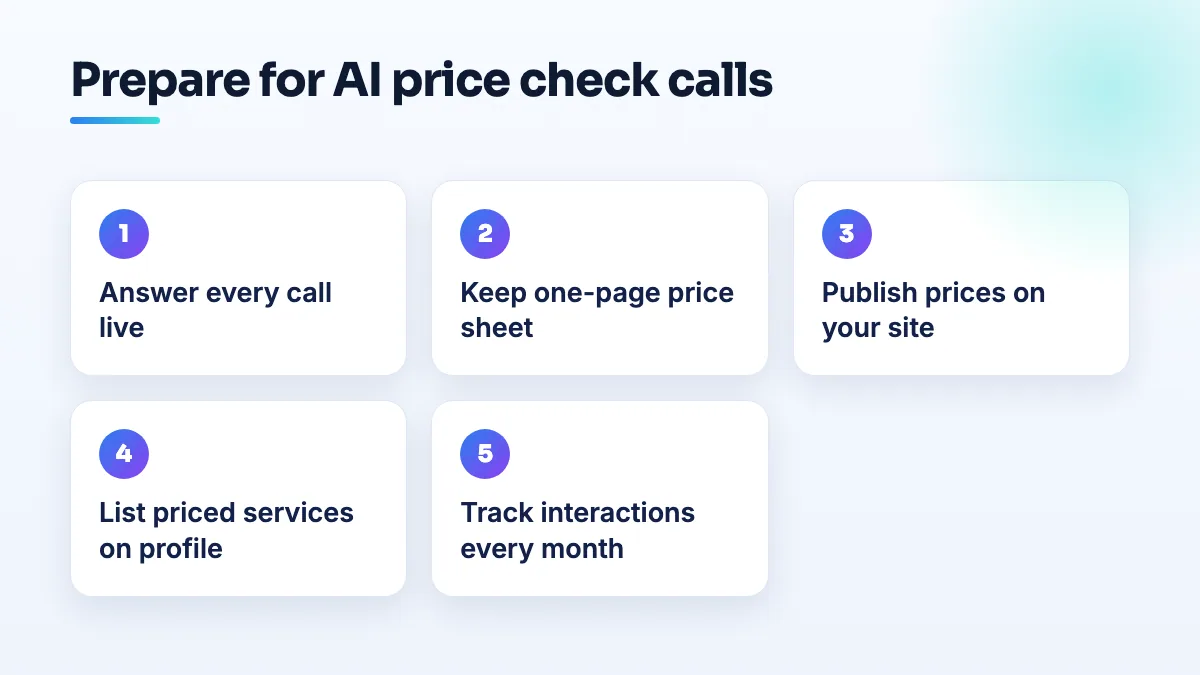
- Answer every call live during your listed hours. An automated call that hits voicemail gets nothing. Check that the number on your profile rings a phone someone actually picks up, not a call center menu or a line that forwards to a mobile in a drawer. If you use call tracking, test the tracking number too.
- Keep a one-page price sheet by every phone. Your ten most-asked prices, written down, so whoever answers gives the same number every time: diagnostic fee, oil change, brake pads per axle, screen replacement for the five most common phone models, battery replacement, data recovery starting price. If a price depends on the vehicle or device, write the range and what moves it.
- Publish those prices on your website. One page per main service with the price or a clear "from" price, what's included, and how long it takes. This is what the searcher lands on whether or not the AI called you. I go through which prices to publish and how to show ranges in the answer on whether you should put prices on your website.
- Add priced services and products to your Google Business Profile. Many shop owners don't know the profile can carry these at all. A Help Community thread from a mobile phone store owner who didn't know products could be listed is typical of what I see. Add your main services with prices, and your best-selling products or parts if you sell them, using the same prices as your site and your price sheet.
- Check your hours and profile settings. Make sure your hours are right, including holidays. If your profile settings include any option about calls from Google on a customer's behalf, make sure you haven't switched it off.
- Keep building the signals the biggest shops have. Ask every happy customer for a review, keep your name, address and phone identical across directories, and get mentioned by local sites. This is slower, but it's the part the thread suggests the AI weighs.
- Track your profile interactions monthly. Note calls, website clicks and direction requests each month. If they fall the way that owner's did, you'll see it early, and you'll know whether the fixes above are working.
What's different for auto, phone and electronics repair
Auto repair shops get priced searches for jobs that vary by vehicle, which is why many shops won't quote on the phone. I'd still publish the fixed parts: the diagnostic fee, the hourly labor rate, and "from" prices for common jobs, with a line on what changes them. A shop that says "brake pads from $X per axle, most sedans" gives the AI and the searcher something to repeat. It's a core part of the auto shop SEO I do.
Phone and computer repair shops have a sharper problem. Google Ads treats third-party device repair as restricted; in a Google Ads Help Community thread on advertising computer repair, a Diamond Product Expert's whole answer was that you cannot advertise. With paid search closed off, the profile and your organic pages are the entire game, so missing the AI's shortlist hurts more. Price per model is the fix: a page or table with screen, battery and charging-port prices for the models you see most. That's the backbone of any SEO for phone repair shops project.
Electronics repair sits in the same ad restriction and has a harder pricing problem, because board-level work varies. Publish a bench or diagnostic fee and a price range per device type, and make the mail-in or drop-off process clear on the page, since many of your customers aren't local enough to walk in.
What not to do
- Don't quote one price on the phone and another on your site. If the AI reports your phone price and the customer sees a different one online, you've lost trust twice.
- Don't buy reviews to look bigger. Reviews that arrive in a burst from accounts with no history are what Google's filters are built to catch, and you risk the reviews you earned.
- Don't stuff prices or "cheap" into your business name. It's against the name rules, and it doesn't make you look like the established shop the AI seems to prefer.
- Don't panic about one quiet month. Look at three months of profile interactions before deciding the feature is costing you work.
Where this is heading
I expect more of the "ring round for quotes" step to move into Google over the next year, and the shops that publish clear prices will be easiest to include. Getting your services and prices onto your profile is part of our Google Business Profile optimization, and building the price pages and reputation that make you look like an established choice is what our local SEO company work covers.
Written by Saifur Rifat, Founder & SEO Lead at SERP Squad.